
The whole school,
one app.
Attendance and lateness, exit permits at the gate, timetables, marks and report cards, homework, fees and the school bus. Administration, teachers, supervisors, parents and students, each in their place, in one app, in Arabic, English and French.
- Lebanese ministry forms built in
- Phone and computer
- Under your school’s name and logo
- 13 rolesEach with its own sections and permissions
- 3 languagesArabic, English and French
- Phone + computerA phone app and the browser for the office
- Instant alertsFor parents and staff, with their own chime
- Works offlineAttendance keeps working without a connection
From scattered notebooks and chat groups to one clear system
Every school knows the day: a lost register, parents calling to ask, ministry forms copied by hand at month end.
Before
- Paper registers collected and counted by hand
- Parents phone the school to ask whether their child arrived
- Dozens of WhatsApp groups where messages get lost
- A student leaving mid-day is a slip of paper at the gate
- Ministry forms and staff-hour tables filled in by hand
- Fees in a notebook, receipts that go missing
With Schoolkit
- Teachers mark only who is absent or late; reports are ready
- Instant parent alerts for absence, lateness, the bus and marks
- Organised circulars and messages, and you see who read them
- An exit permit reaches the gatekeeper, who confirms the exit
- Ministry forms filled from the app’s data, printed on A4
- Numbered receipts in dollars or lira, visible to parents
Everyone sees only what is theirs
Each staff member opens the app and finds their own sections; parents see only their own children. The principal decides who sees what.
Principal · Vice principal · Secretary
Administration and the secretary’s office
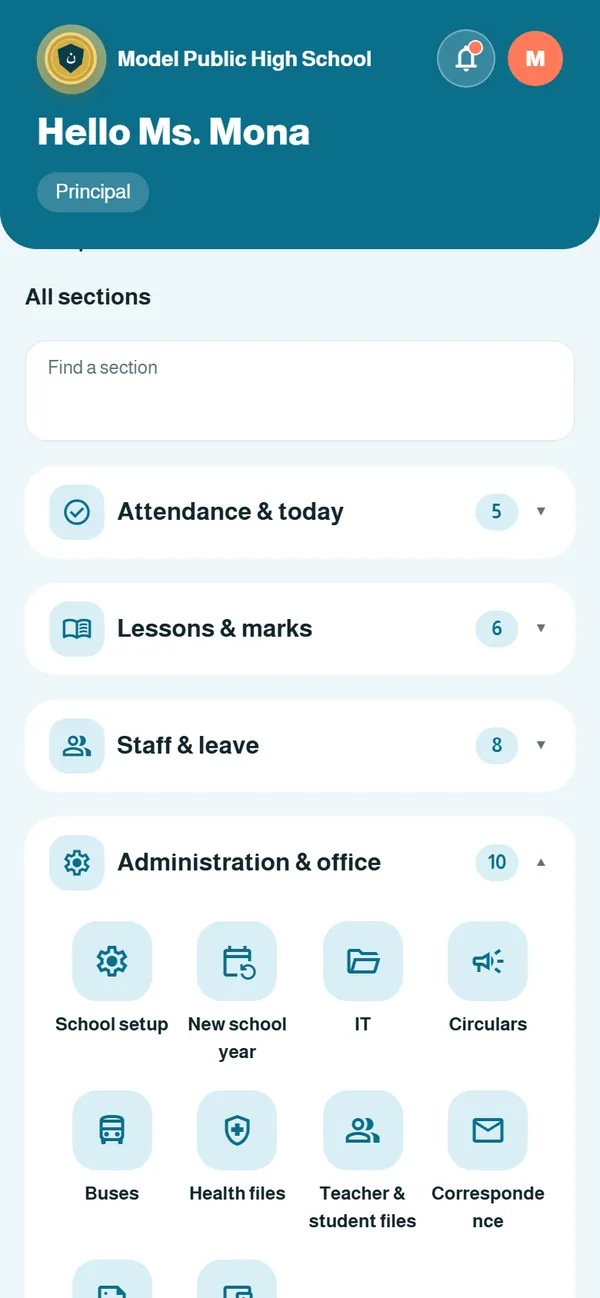
School setup and everything that crosses the office desk, from student files to staff attendance and circulars.
- School year, classes, sections and floors
- Teacher and student files, photos and ID cards
- Leave requests and their official forms
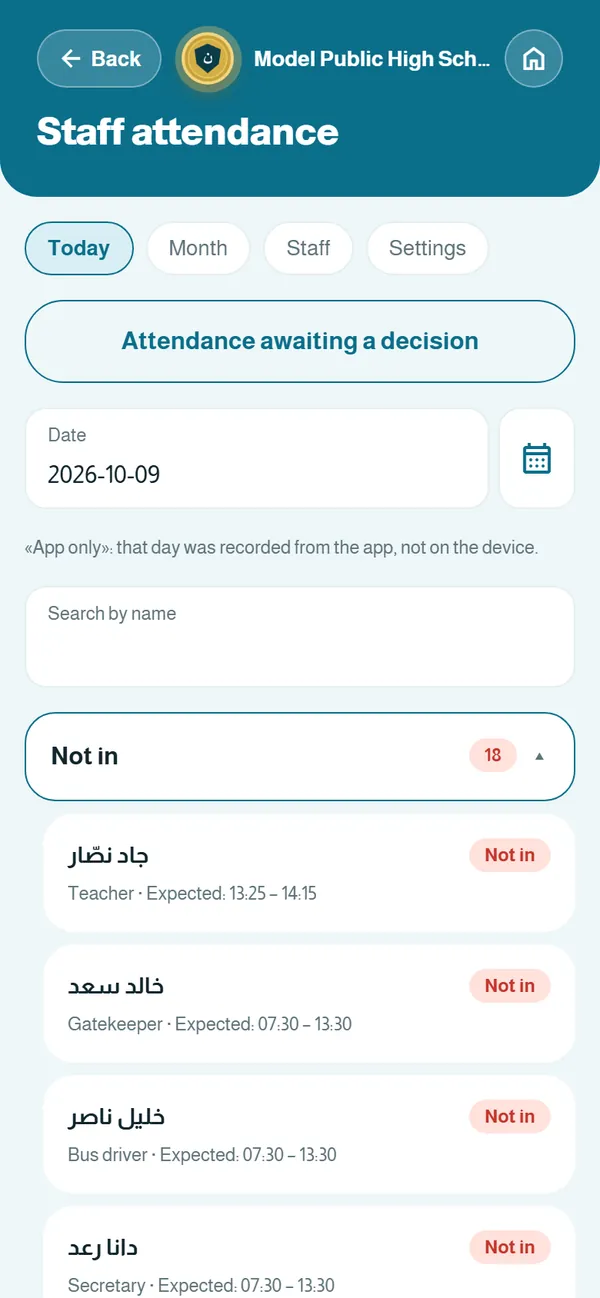
- Staff attendance and the fingerprint file
- Attendance and behaviour reports, disciplinary decisions
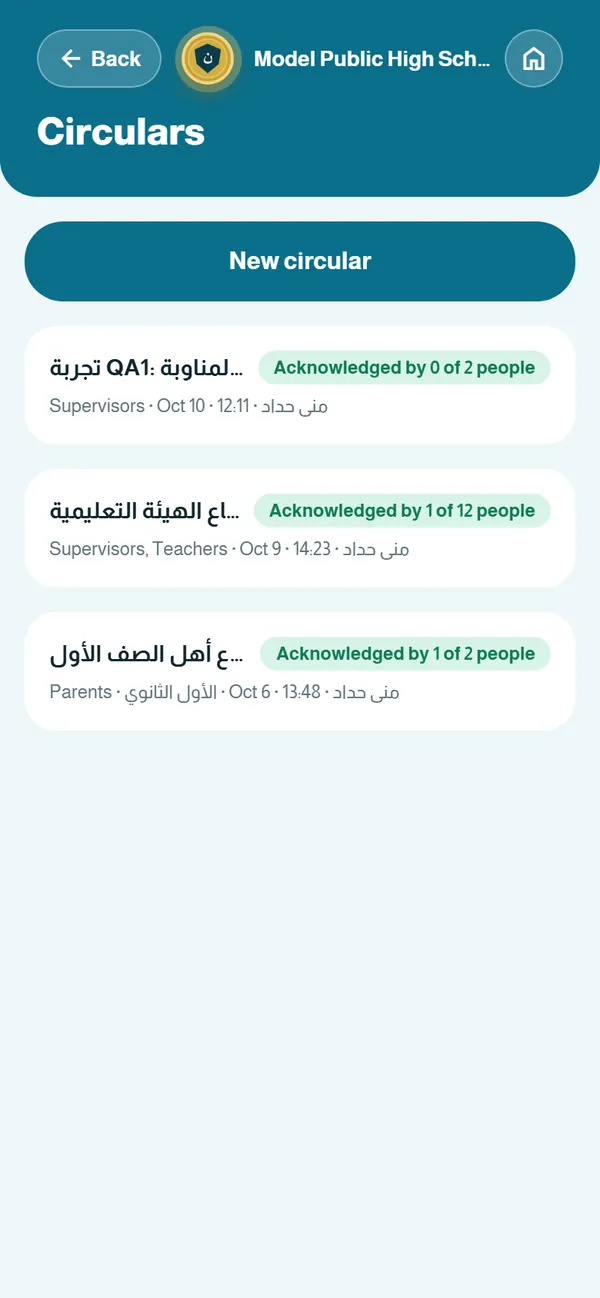
- Circulars with a list of who read them
- Correspondence register and print requests
- Adjustable permissions for every role
Teacher · Subject coordinator
Teachers and subject coordinators
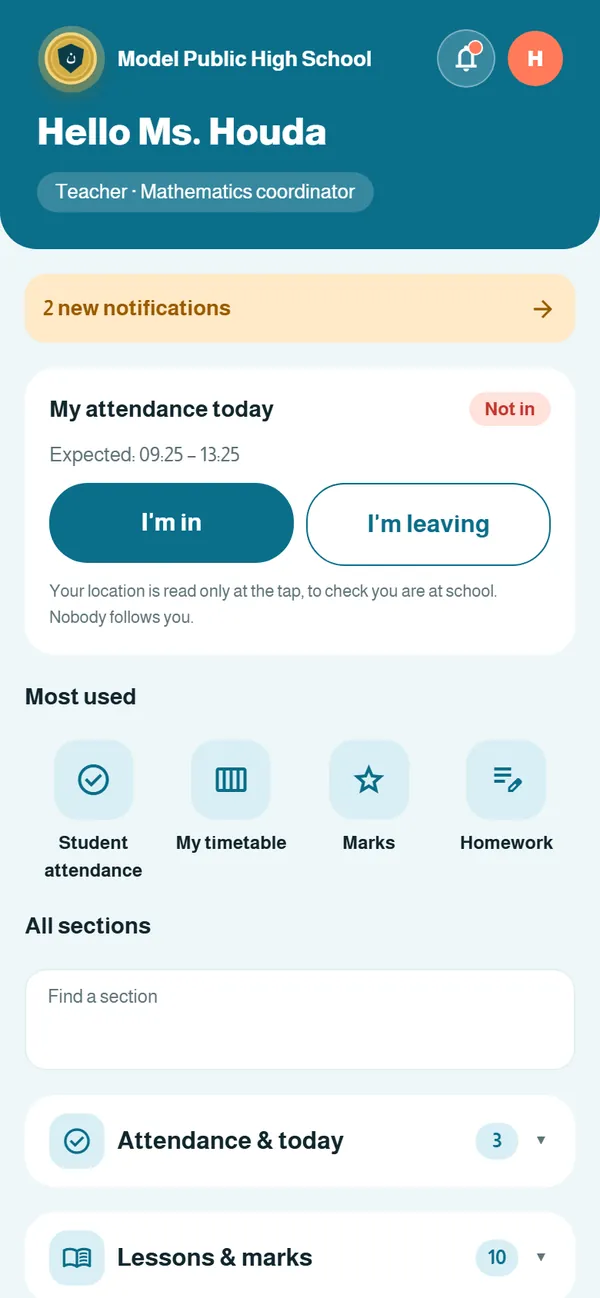
Everything a teacher needs in and out of class, in a few taps on the phone.
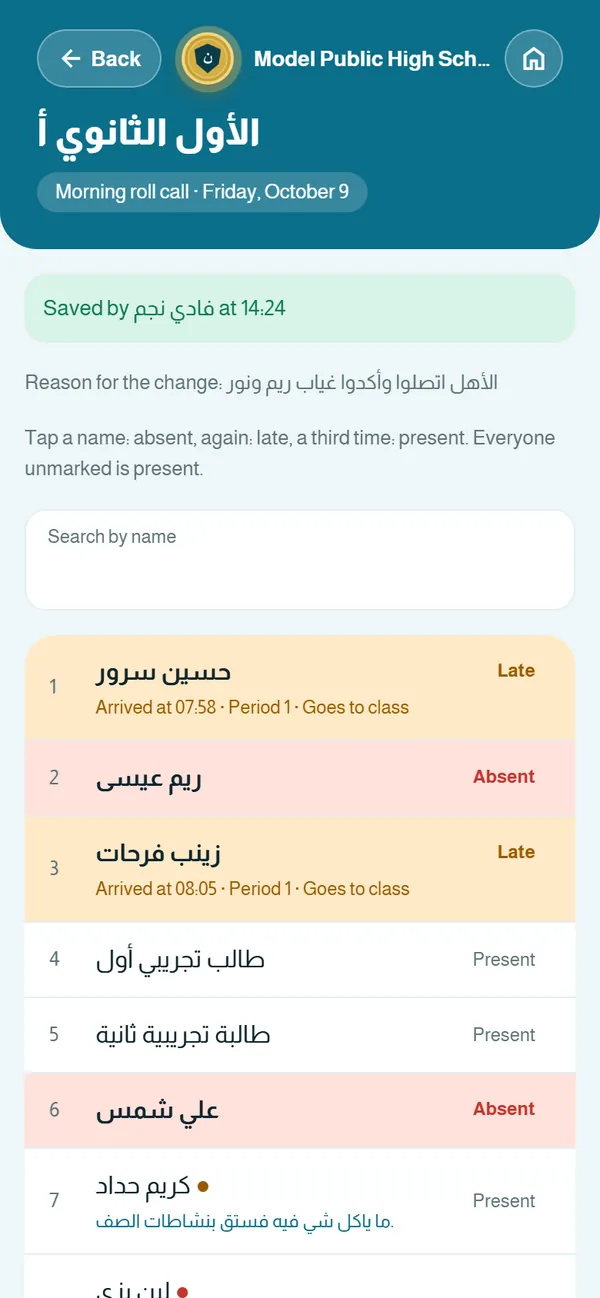
- Attendance every period: mark only absent or late
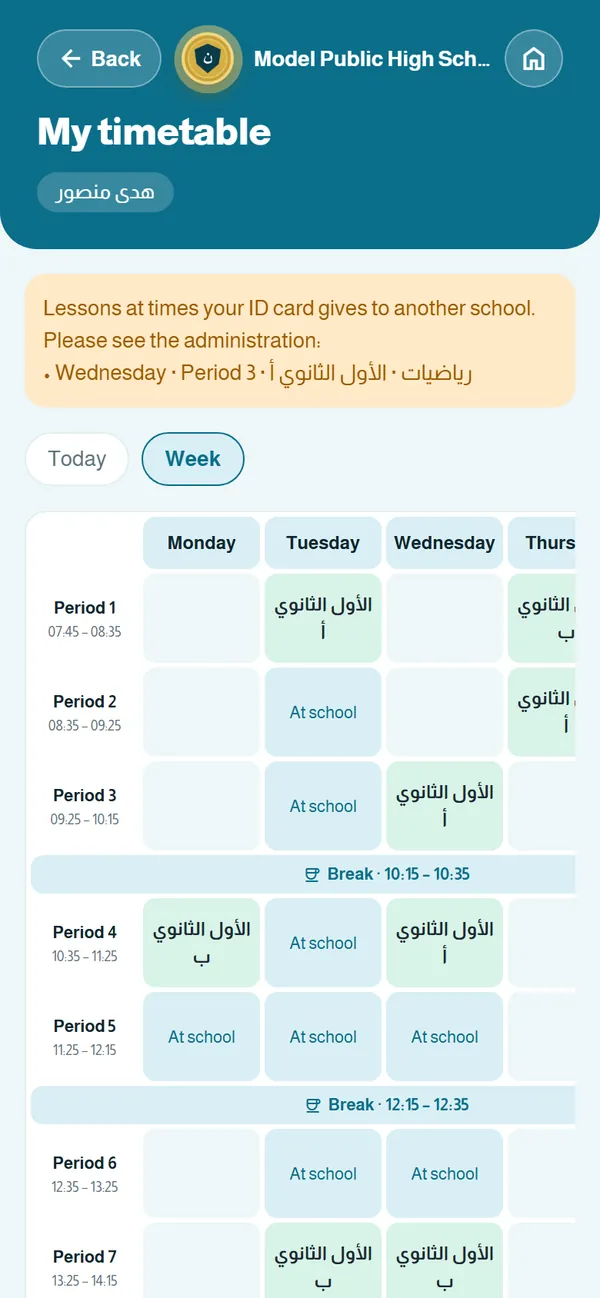
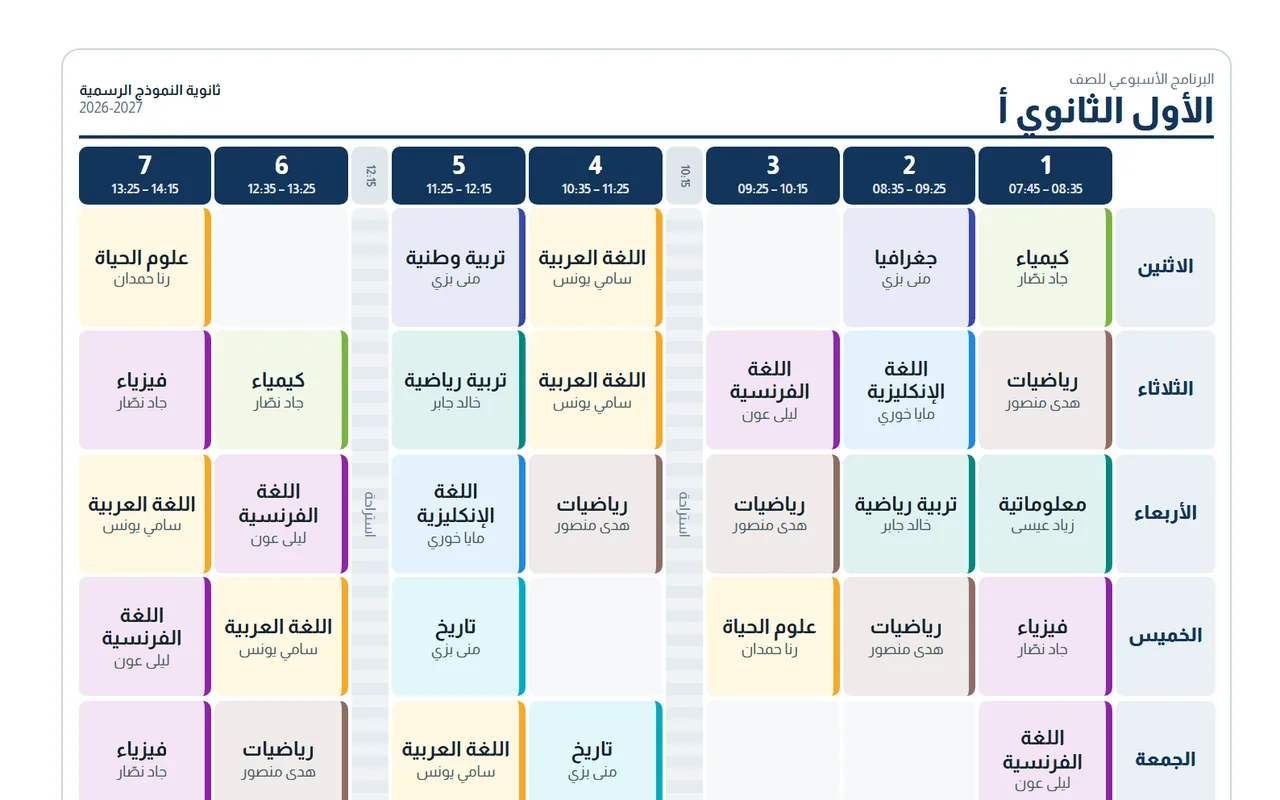
- My timetable for the day and the week
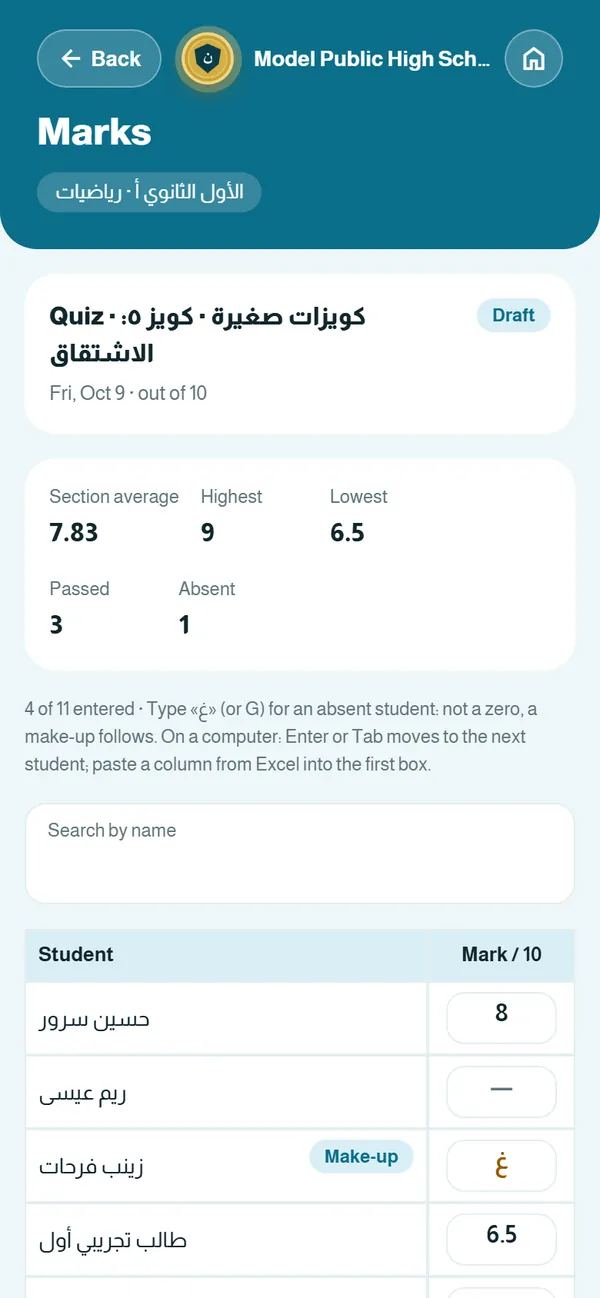
- Marks: quizzes, tests, exams and the average formula
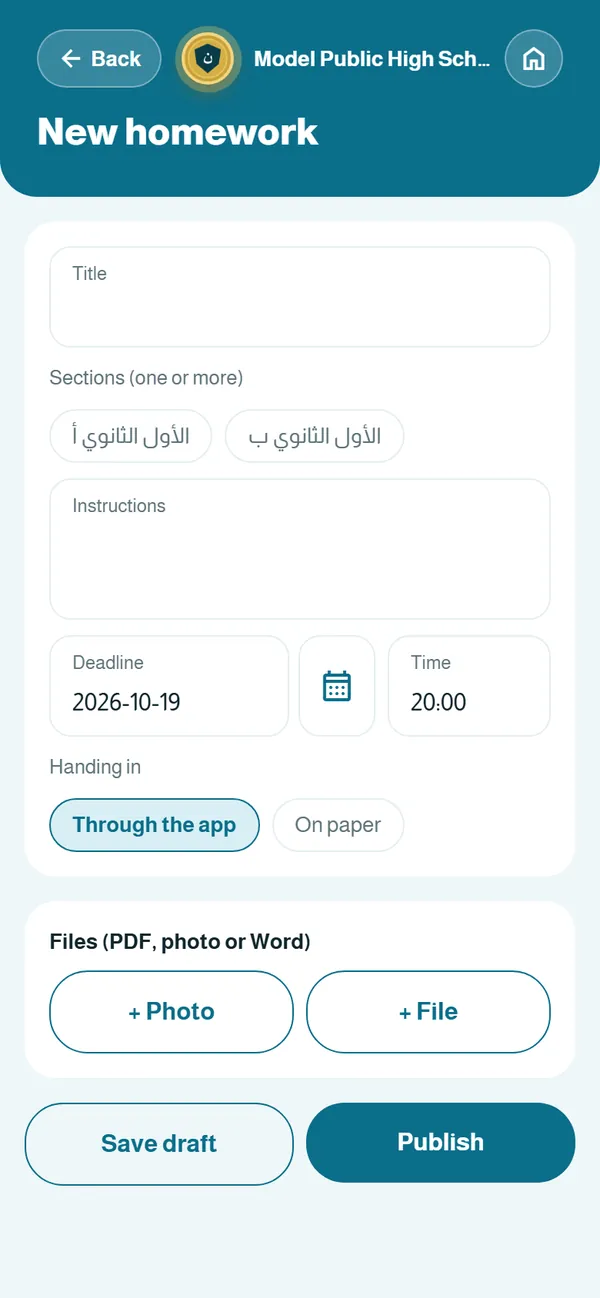
- Homework with photo and file hand-in
- Live classes for students
- Lesson book, curriculum and yearly plan
- Exam-paper uploads and print requests
- Subject distribution for coordinators
Floor supervisor · Gatekeeper · Health counselor
Floor supervisors, the gate and health
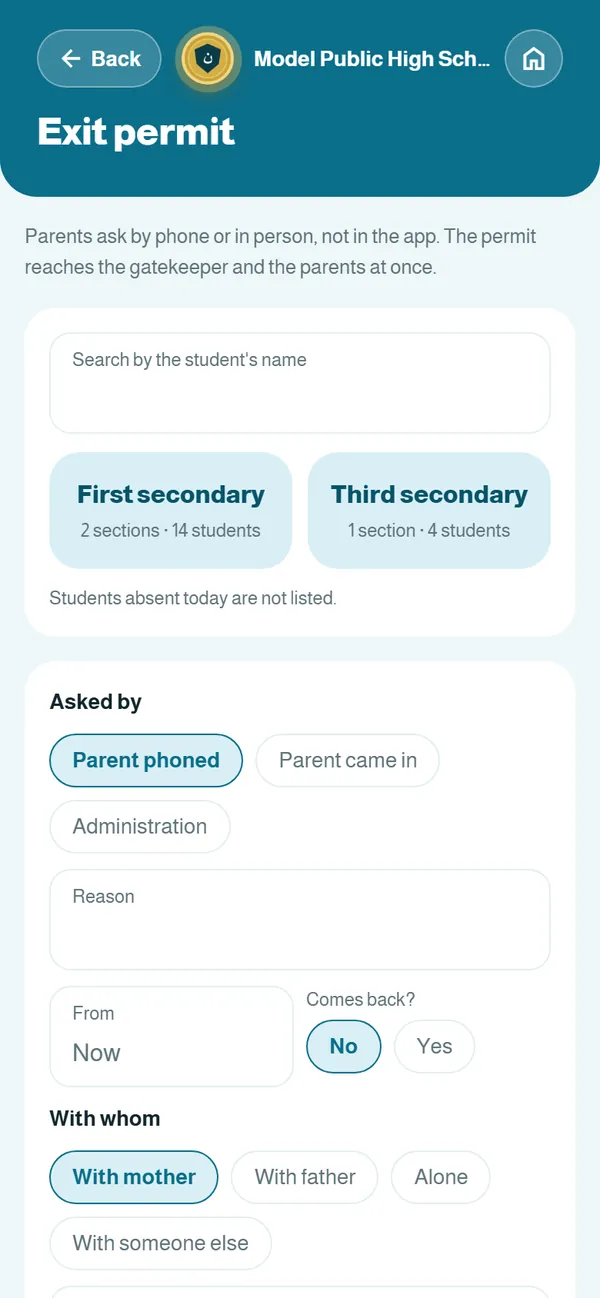
The floor, minute by minute: who is absent, who is late, and who left through the gate and with whom.
- Morning roll call and period sheets
- Reminders to teachers who have not taken attendance
- Lateness, justifications and absence streaks
- Behaviour records and cases
- Substitutes when a teacher is away
- Exit permits that reach the gatekeeper, who confirms
- Playground, errands and exam rooms
- Health files and the counselor’s visits
Parent · Student
Parents and students
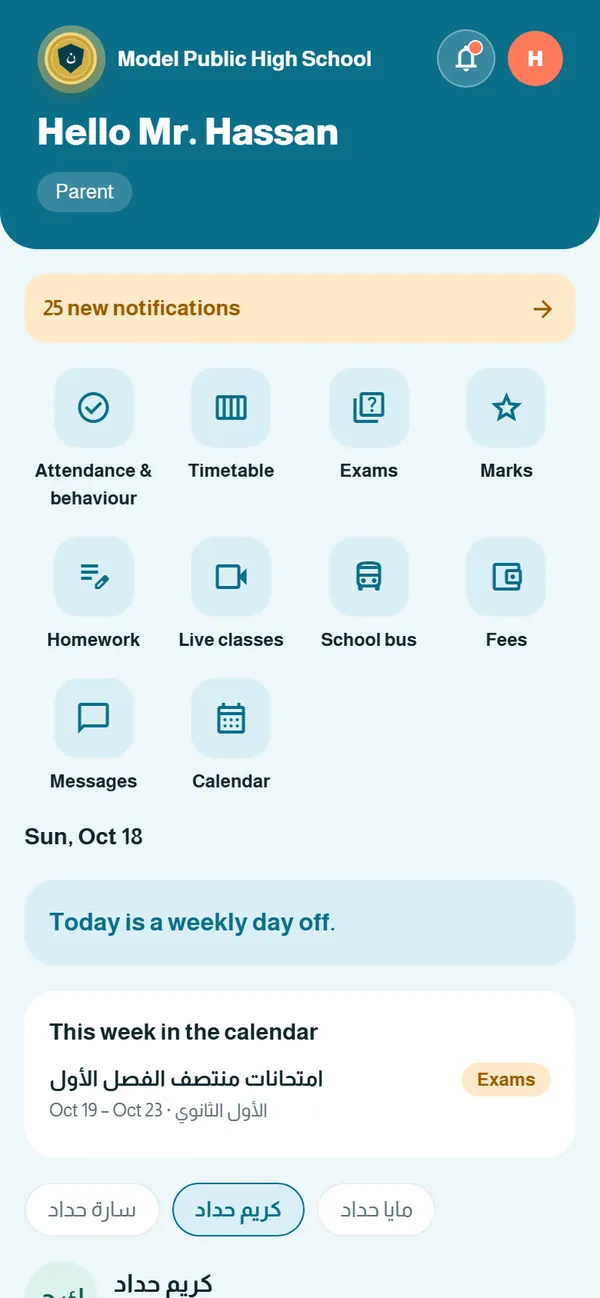
Parents learn what matters when it happens; students find their timetable, homework and marks in one place.
- Attendance and behaviour for each child
- Timetable and exam schedule
- Homework: students hand in photos or files
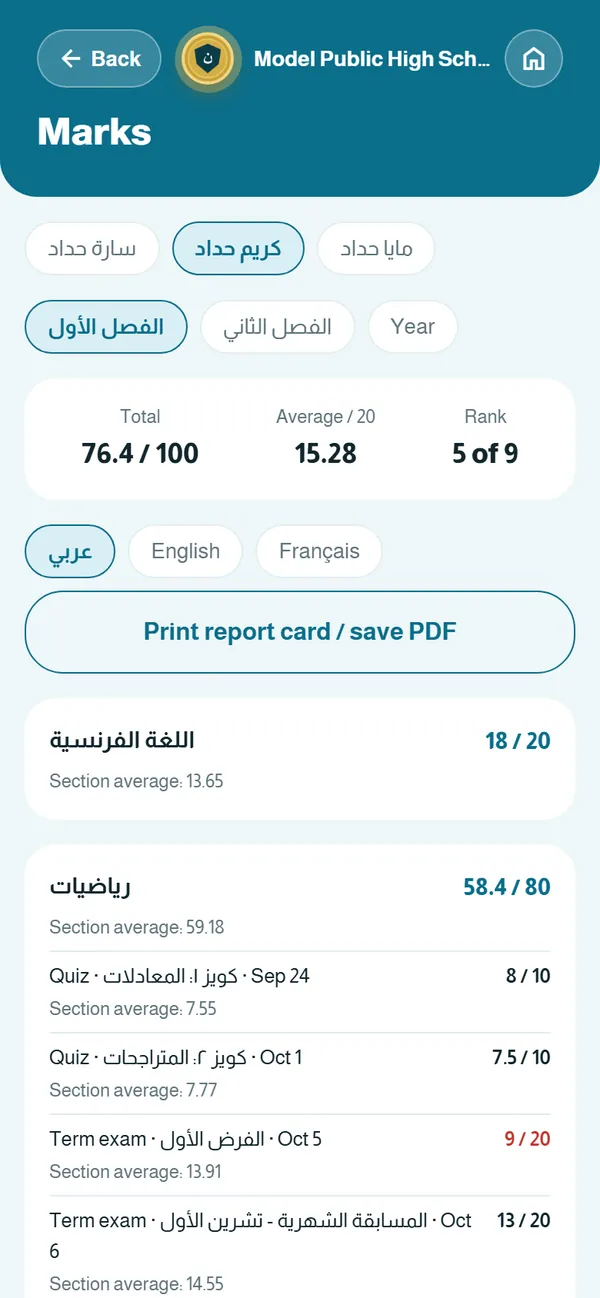
- Marks and the PDF report card
- Live classes (for students)
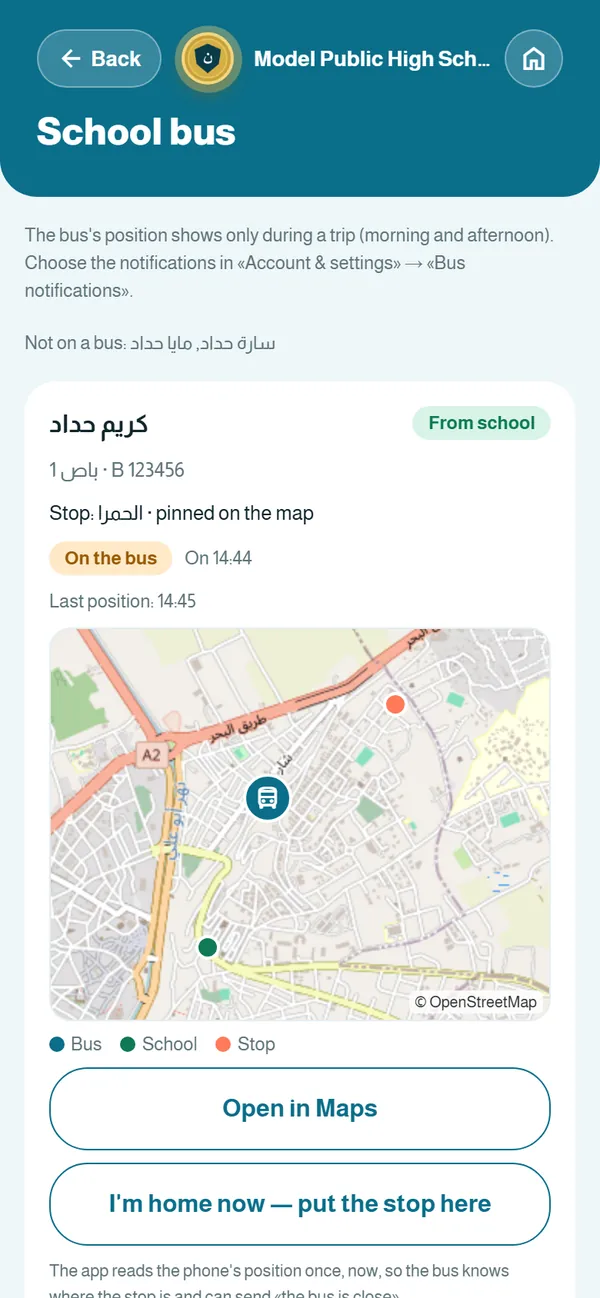
- The bus on the map and stop alerts
- Fees and receipts
- Parent messages with the floor supervisor
Transport officer · Driver · Bus assistant
School bus and transport
The whole trip in the app, from departure to the last student home, and parents at ease.
- Buses, routes, stops and riders
- The assistant starts the trip and records on and off
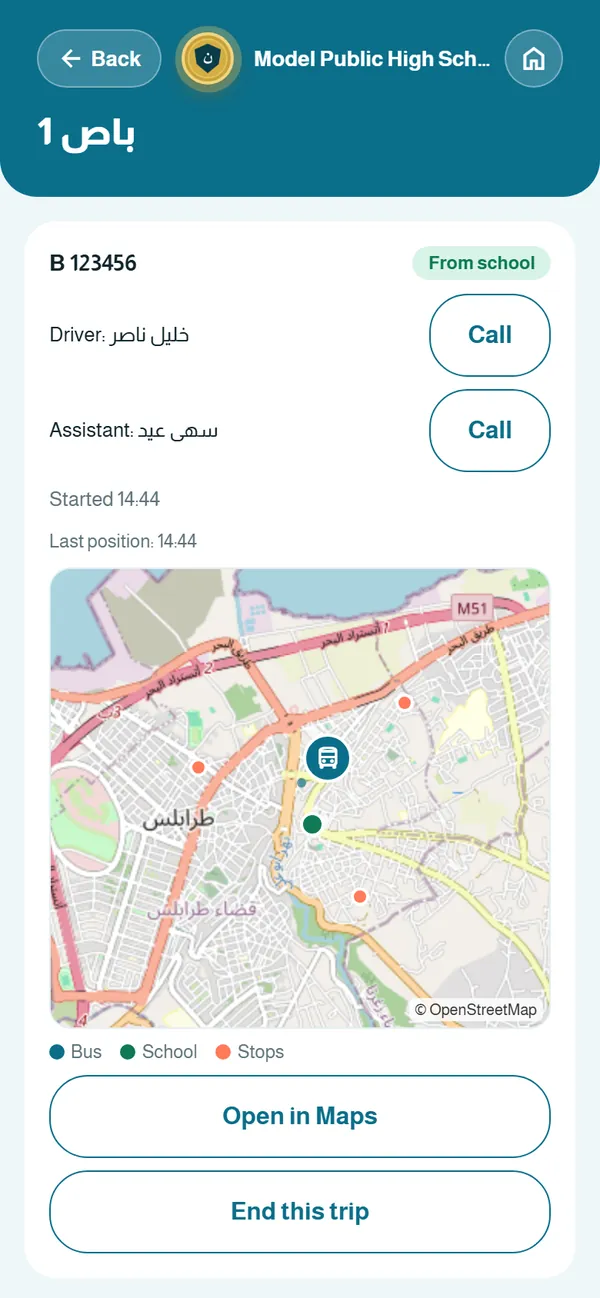
- Live position on the map, only during the trip
- Parents are alerted as the bus nears their stop
- Parents set their stop from home
- Trip log, ready to print
- An alert when a student does not get on
- Call the driver or assistant in one tap
Accountant · IT office · Secretary
Fees and the IT office
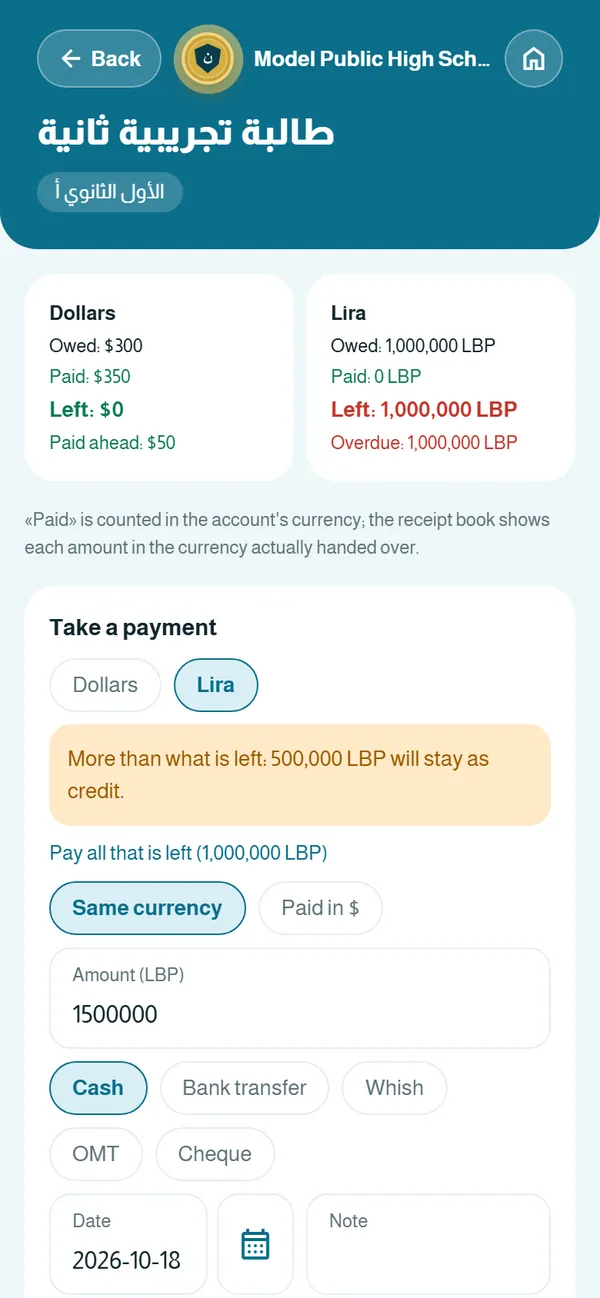
Money and official papers done right: fees in two currencies, receipts, registration and certificates.
- Fee items and due dates per class
- Payments in dollars or lira
- Numbered receipts and the receipt book
- Discounts and reminders for late payments
- New student registration with parents’ details
- Activation slips for every account
- Certificates with a QR verification code
- Missing papers and official-exam candidacy
Three steps and your school is on Schoolkit
No IT department needed. We are with you from day one.
- 1
We set up your school
We create your school on the platform: name, logo, school year, classes, sections and floors.
Model Public High SchoolSchool year 2026–2027 - 2
We import your lists from Excel
Send your staff and student lists as they are, in Excel, and we import them in one go.
- 3
Everyone gets an activation code
A slip with an activation code is printed for every staff member, student and parent. They sign in and choose a password.
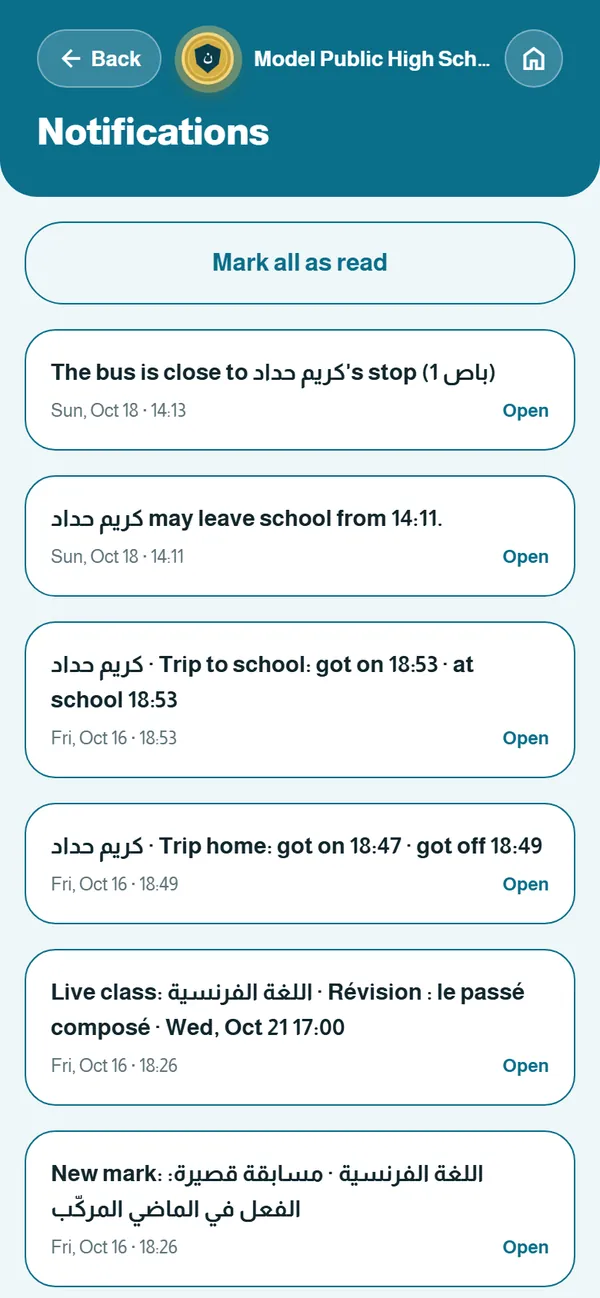
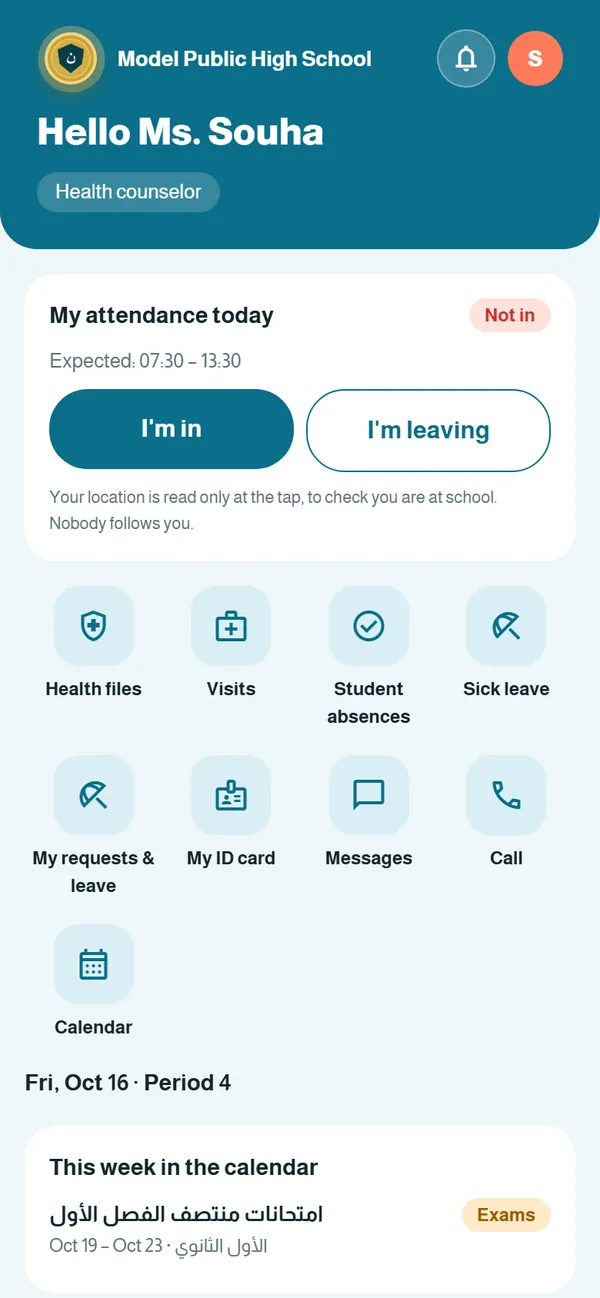
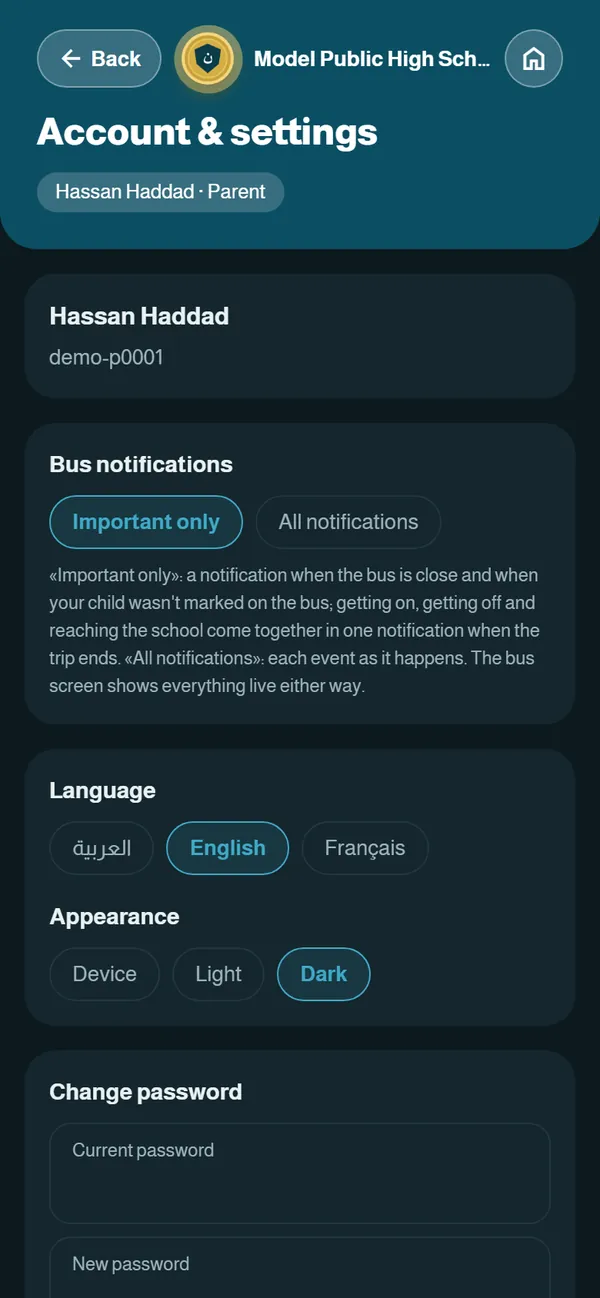
Real screens from Schoolkit
Demo data for a model school, exactly as it appears on the phone.
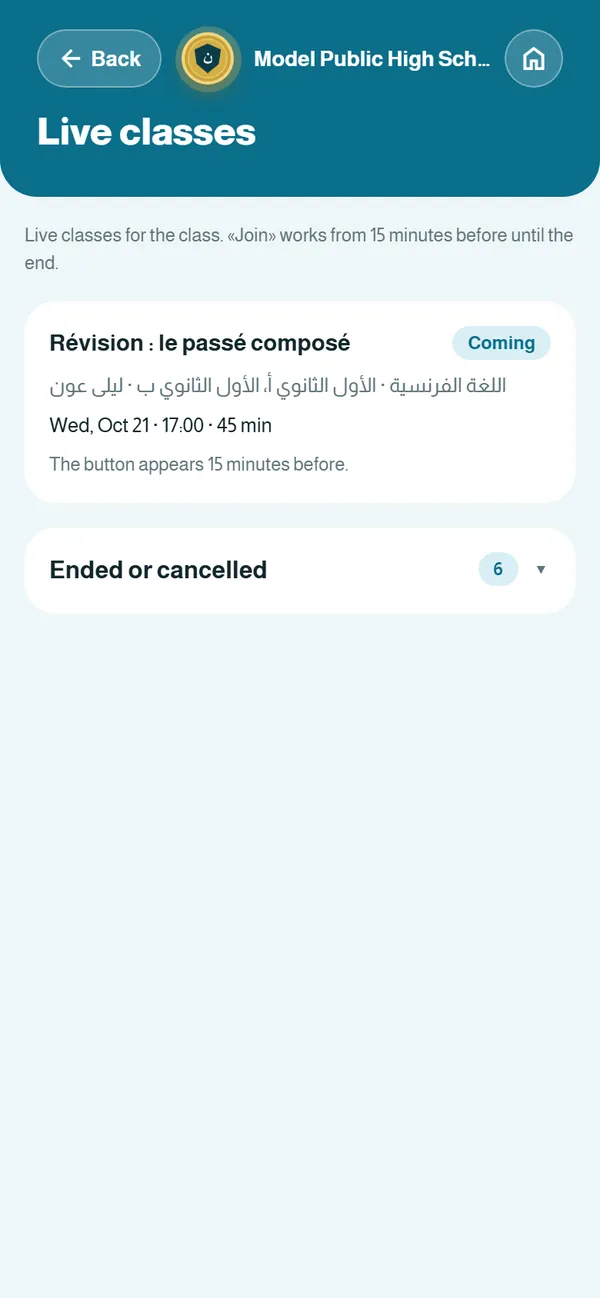
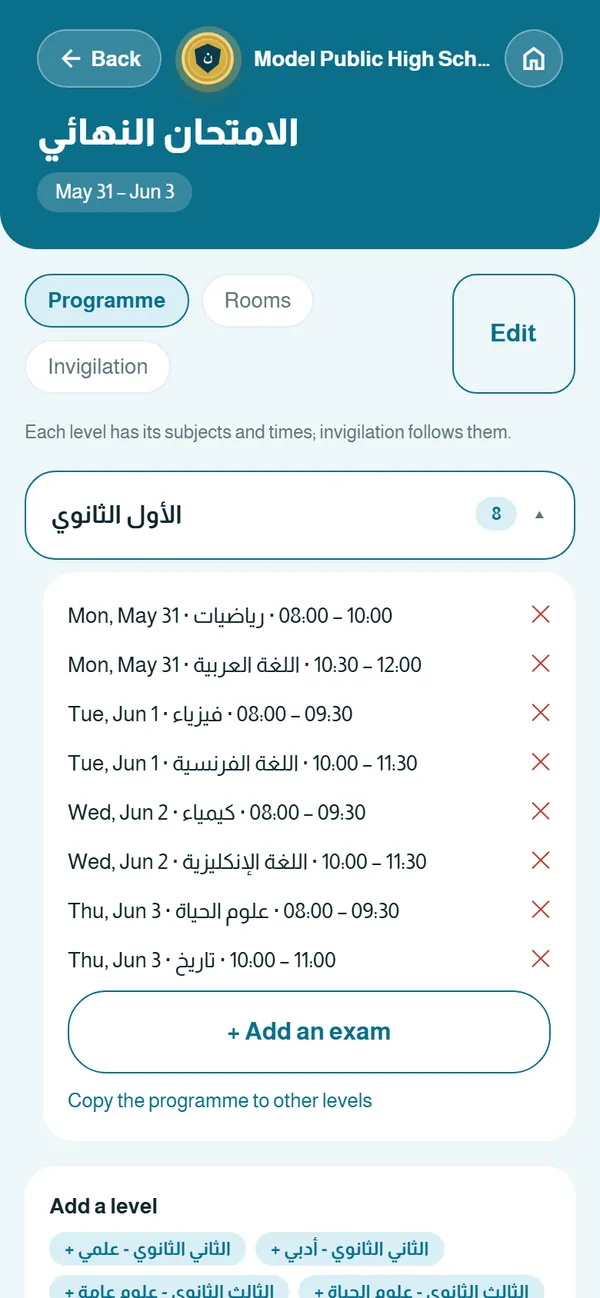
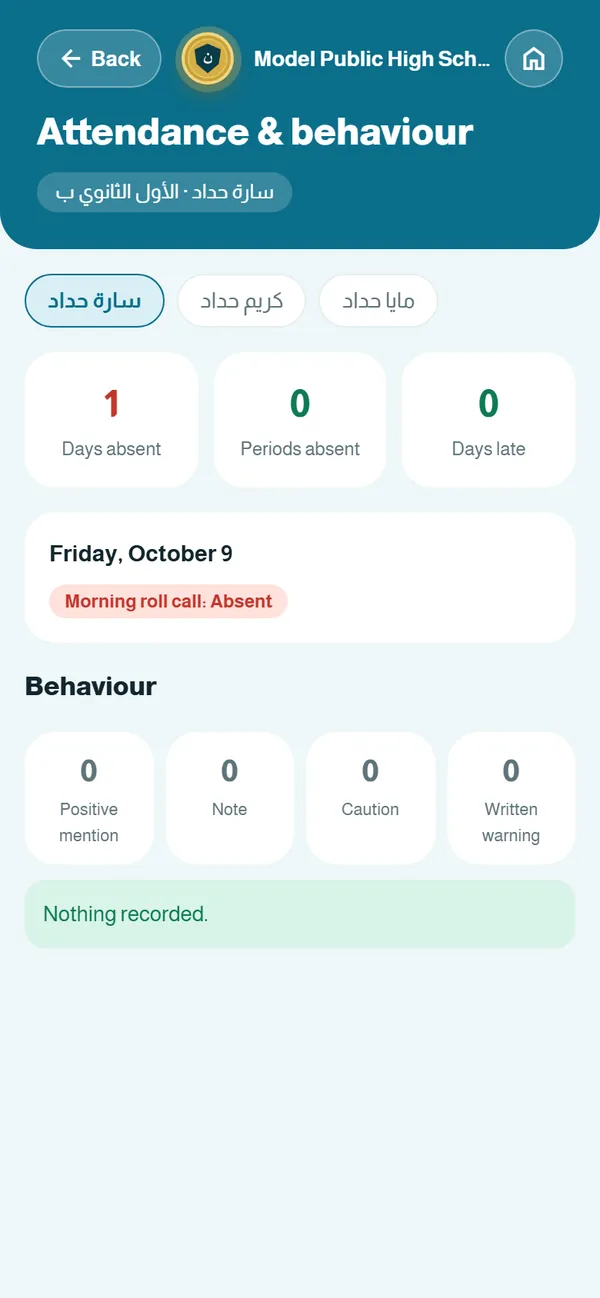
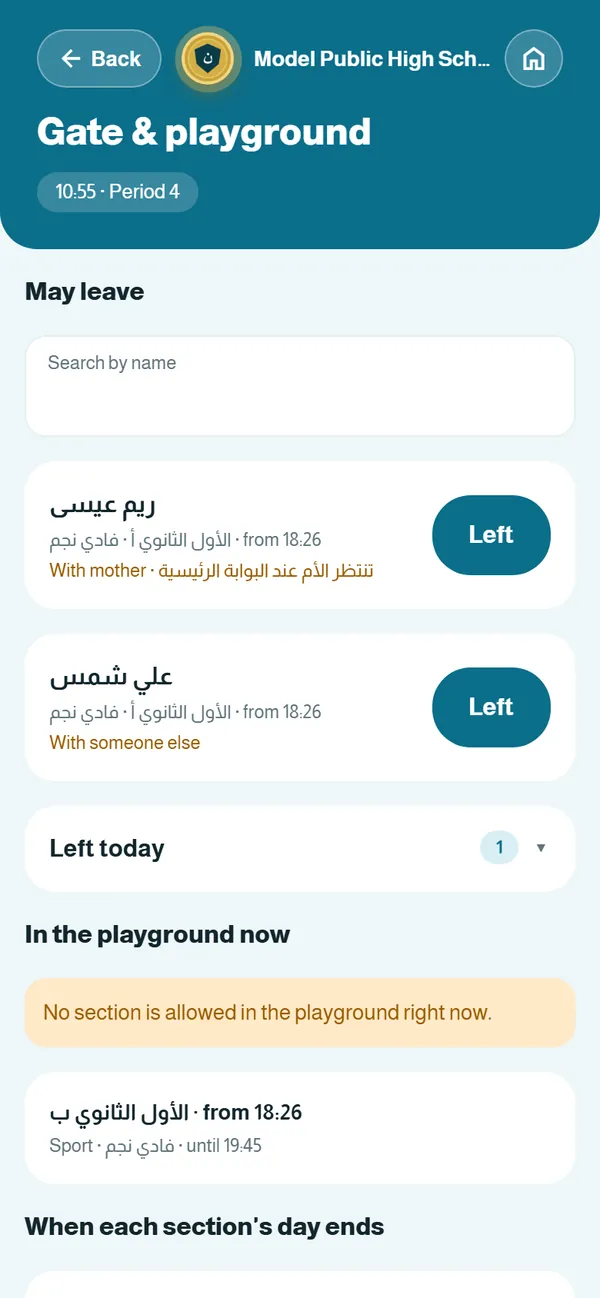
Ministry forms, ready to print
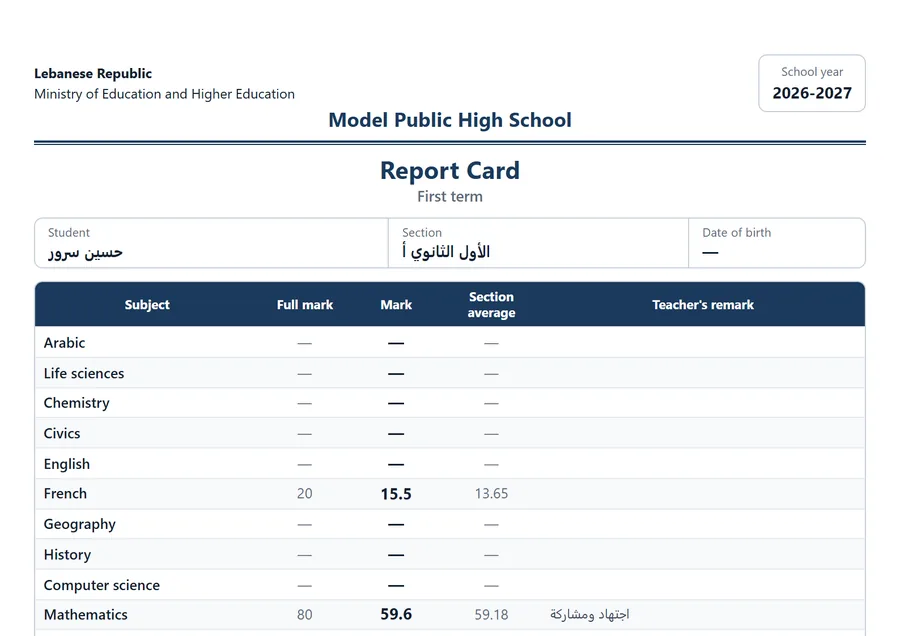
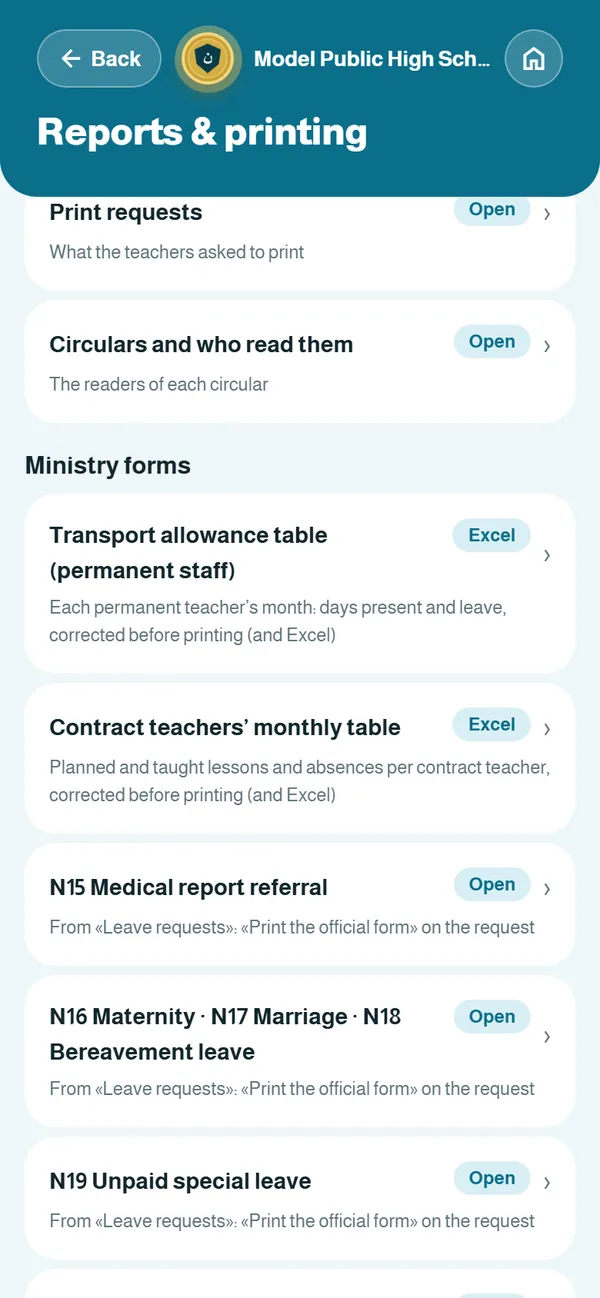
Schoolkit is built around how schools in Lebanon really work: official forms are filled from the app’s own data, with the Lebanese Republic and Ministry of Education and Higher Education heading, and printed on A4 in colour or black and white.
- Term and yearly report cards in Arabic, English or French
- Transport-allowance table for permanent staff and the contract teachers’ monthly table (Excel)
- Leave forms: medical report, maternity, marriage, bereavement, special leave, resumption of work
- Certificates and enrolment statements with a verification code
- Candidacy for the official exams
Outside Lebanon? We adapt the forms, the report card, the grading scale and the currency to your country’s ministry of education.
Your school’s data, kept safe
Student data is a trust. Schoolkit is built on clear rules.
Each school’s data is separate
No school sees another school’s data, and no account sees more than its role allows.
Encrypted connections
Everything between the app and the server is encrypted, on phone and computer.
Nightly backups
A copy of the data is saved every night, so a year’s work is never lost.
Role-based permissions
The principal decides what each role can see and change, and can grant or withdraw a permission.
Nobody is tracked
Location is read only at the moment someone taps “I’m in”, and the bus only during a trip.
Never sold, no ads
We do not sell data or show ads. The data belongs to the school.
The app, under your school’s name and logo
Your school’s name and logo appear at the top of every screen and on every printed page. With the white-label option, the app itself carries your school’s name and icon on parents’ and students’ phones.
- A colour logo for screens and a black-and-white logo for printing
- Your name on ID cards, receipts and certificates
- Option: a standalone app with your name and icon

In your language, on the device you prefer
Each user picks a language: Arabic, English or French, and the layout switches between right-to-left and left-to-right on its own.
- On the phone: an app for parents, students and staff, with notifications that have their own chime
- On the computer: in the browser at app.schoolkitapp.com, for office work and printing
- Offline: attendance is saved on the device and sent when the connection returns
- Dark mode and A4 printing for every table and report
Questions schools usually ask
How long does it take to get our school running?
It depends on how ready your lists are. Once we have your staff and student lists in Excel, we set up the school, import the names and print the activation slips, and you can start right away.
Do we need special hardware or a server?
No. Schoolkit runs on staff and parents’ phones and on any computer in the browser. The server and backups are on us.
Does it suit schools outside Lebanon?
Yes. The app is in three languages, and we adapt the ministry forms, report card, grading scale and currency to your country, in the Gulf or elsewhere.
Can parents message teachers?
No, and that is deliberate. Parents message the floor supervisor, who asks the teacher and comes back with the answer. Teachers send announcements to a section, and students can ask their teachers questions.
What if the school’s internet goes down?
Attendance is saved on the device and sent automatically when the connection returns, so no period is lost.
Who owns the data? Can we delete it?
The data belongs to the school. We never sell or share it, and the school can ask for a copy or for deletion when the subscription ends.
Can the app carry our school’s name?
Yes. Your logo and name appear on every screen and printed page, and we can publish a standalone app with your name and icon.
How much does it cost?
Pricing depends on the number of students and the options you choose. Book a demo and we will send you a clear quote.
Let us show you Schoolkit, set up for your school
A live 30-minute demo: we walk you through the administration, teacher and parent sections and answer your questions.
Request a demo
Fill in your details, then send them by WhatsApp or email. Nothing is stored on this page.